
There are times when you will need iPhone backup but will realize that you can’t use what’s in iTunes.
Most of the time people do not archive their good backups and by when they realize that they have some problem with iPhone, they would have already synced it with iTunes. It means that you can’t restore the iPhone with the iTunes backup as it also contains the same problem.

Luckily if you have your Time Machine backup, you can restore the old iPhone backup from there.
How to restore iPhone Backup
The only way to restore the iPhone backup in iTunes is restoring the folder for the backup. Here is step by step guide to restore the iPhone backup.
Suggested Reading: Create iPhone Ringtones with any song in iTunes
Step 1
First thing first, Archive the current iPhone backups so you won’t mess up anything.
You can archive the backup by going into iTunes -> Preferences -> Devices. Right click on the backup and select Archive to archive that backup.

Step 2
Now connect your Time Machine backup drive and Enter Time Machine. Select the date and time from which you need to restore the backup.
You need to go to below path to check your iPhone backup’s available in Time Machine.
~/Library/Application Support/MobileSync/Backup/
~ represents user’s home folder on your Mac. If you don’t see the Library folder, right click on your home folder and select “Show View Options”. Select the checkbox “Show Library Folder” and it will visible.

Step 3
You will not be able to recognize your iPhone Backup by the names of the folders. So only way to check it by restoring the folder and checking it in iTunes preferences.
There you will see the name of the device correctly, so restore the backup folders and make sure it’s for the iPhone you are looking for.
Once this is done, you can restore the iPhone with the backup in iTunes normally.
Step 4
You have done everything and have a fully functioning iPhone. Now is the time to enjoy with that beautiful gadget, so do whatever you like to do with that awesome piece of tech.
This is how you will restore the iPhone Backup from Time Machine to iTunes. Have you ever faced this situation? or wanted to have a more straight forward approach?




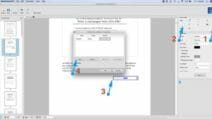


Question: I would like to archive iTunes backups for old iOS devices as you described in this article. However, what happens when you right-click the item and select “Archive”? Does it allow you to choose the location of the archived file or does it move it to another location on your internal hard drive? I don’t want to actually archive any of the backups until I know what happens. Thank you very much for your help.
Hi Linda,
Archive option adds a timestamp to the iPhone backup name. This backup will not be used again but you can always restore from that backup. The new backups will use the regular name and will have a separate entry.
It still uses the same folder structure, so you will find them in the same folder.
– Sanjeev
Hi Sanjeev: I have always rigorously backed up my wife’s iphone, and then do the time machine backup, but I cannot find at all any mobilesync folder in all my dozen or so backups. My wife had a few voicemails from my late brother in law that she cherished and now she is devastated, and I am trying to figure out how to get them back. Her phone ran out of memory and glitched, and at the genius bar it was easier for the apple tech to just update the ios and wipe the phone… before even asking me…, any help would be greatly appreciated, thanks
Hi Jorge,
Please make sure you are looking into the user folder, not into the root folder of your hard disk. Users -> Your Username -> Library is the folder you need to pick.
– Sanjeev