Ask a general AI chatbot a question about your own company handbook and it will happily make something up. It has never seen your handbook. So it guesses, sounds confident, and sends you down the wrong path.
That gap is the whole reason RAG exists. Instead of hoping the model already knows your stuff, you hand it the relevant pages at the moment you ask, and it answers from those pages. Your documents, your answers.
I built one of these to chat with a folder of my own notes and PDFs, and the first time it quoted my own writing back at me correctly, I was genuinely impressed. In this guide I’ll walk you through exactly how a RAG chatbot works, the pieces you need, and the honest tradeoffs — including what it costs and where it trips up.
What is a RAG chatbot?
A RAG chatbot is an AI assistant that first retrieves relevant snippets from your own documents and then uses a language model to write an answer based only on those snippets. RAG stands for Retrieval-Augmented Generation. It grounds the model in your real content instead of its general training data.
The key word there is grounded. A plain chatbot answers from memory. A RAG chatbot answers from evidence you supplied seconds ago.
This matters because it changes where the knowledge lives. You’re not retraining a model on your data — an expensive, slow process. You’re keeping your documents in a searchable store and feeding the right pieces into the model on demand. No fine-tuning required.
RAG vs a Normal Chatbot — what actually changes
A normal LLM chatbot has one move: take your question, generate an answer from whatever it learned during training. If your topic wasn’t in that training data, you get a confident guess. That guess is what people call a hallucination.
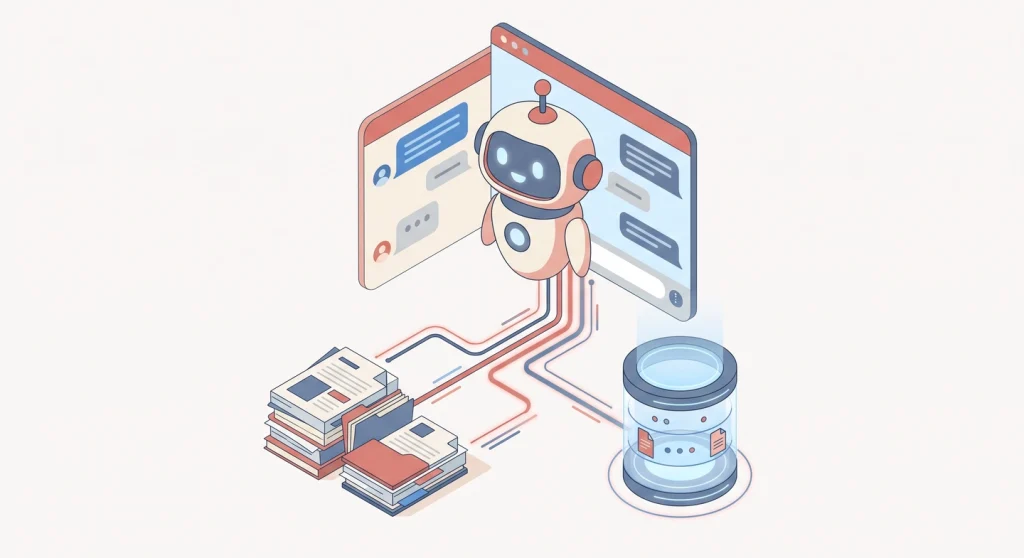
A RAG chatbot adds a step before the answer. It searches your documents, pulls the most relevant chunks, and pastes them into the prompt along with your question. The model then writes its reply using that fresh context.
So the difference is simple. One answers from memory. The other answers from your files. For anything private, recent, or specific — internal docs, product manuals, your own research — the second approach wins every time.
Suggested Reading: What is Claude Cowork and Why You Should Care?
How a RAG chatbot works (the pipeline)
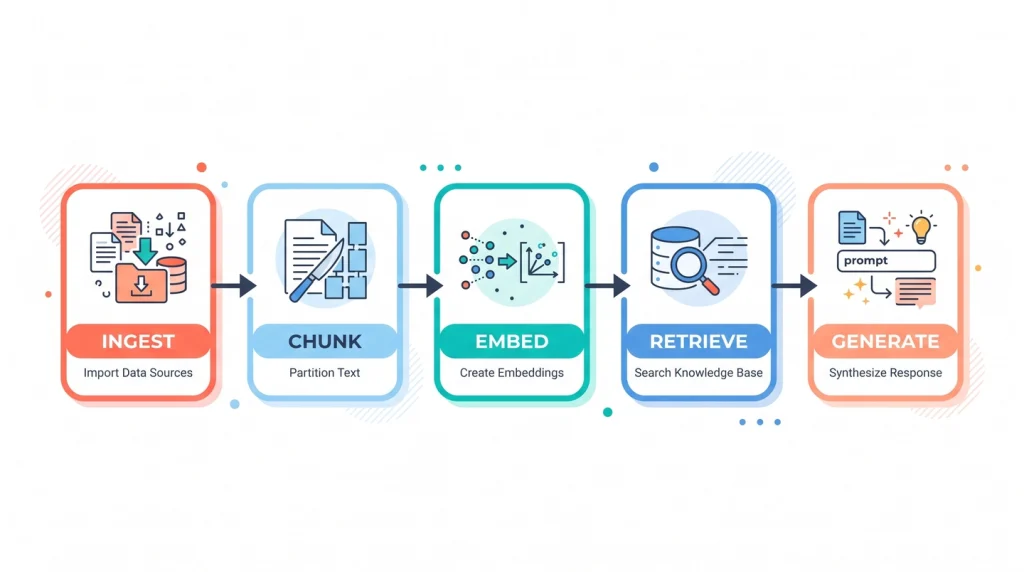
Under the hood, every RAG system follows the same five stages. Once you can picture these, the rest of the build is just choosing tools for each stage.
- Ingest — You load your documents: PDFs, Markdown, web pages, whatever you have.
- Chunk — You split each document into smaller pieces, usually a few hundred words each.
- Embed — Each chunk gets turned into a vector, a list of numbers that captures its meaning, and stored in a vector database.
- Retrieve — When a question comes in, it’s embedded too, and the database returns the chunks whose meaning is closest to the question.
- Generate — Those chunks plus the question go to the language model, which writes the final answer.
That’s it. Ingest, chunk, embed, retrieve, generate. Everything else is detail.
Step 1 — Prepare and chunk your documents
This is the step most people rush, and it’s the one that decides whether your bot is useful or useless. Garbage chunks mean garbage answers.
Start by getting clean text out of your files. For PDFs I use a loader like PyPDFLoader; plain Markdown and text files need no special treatment. Strip out page headers, footers, and navigation junk if you can — that noise pollutes your retrieval later.
Then you chunk. Chunking means splitting a long document into smaller, self-contained passages so the database can return just the relevant part instead of an entire 40-page manual. A tool like LangChain’s RecursiveCharacterTextSplitter handles this well because it tries to break on paragraphs and sentences rather than mid-word.
How big should chunks be? It depends on your content, and here’s a rough guide I’ve found reliable:
- FAQs and short answers: 300–500 tokens
- Product or how-to content: 400–800 tokens
- Technical docs and guides: 800–1,200 tokens
- Long policy documents: 1,000–1,500 tokens
Add a small overlap between chunks — say 10–15% — so a sentence that gets split across a boundary still makes sense in both pieces. Get this right and retrieval quality jumps noticeably.
Suggested Reading: Docker vs Podman:Switched To Podman, Here’s What Happened
Step 2 — Create embeddings and store them in a vector database
Now you turn those chunks into something searchable by meaning, not just keywords.
An embedding is a numerical representation of a piece of text that captures its meaning, so that passages about similar ideas end up close together in mathematical space. This is what lets a RAG chatbot match “how do I reset my password” to a chunk that says “account recovery steps” even though they share no words.
You run each chunk through an embedding model and get back a vector. You store all those vectors in a vector database — a store built to find the nearest vectors to a query fast.
For a small project you don’t need anything heavy. FAISS runs locally and is free, which is perfect for a laptop build. If you want a managed, scalable option, Pinecone or Supabase (with pgvector) are the common picks — Supabase if you’d rather self-host and keep costs predictable, Pinecone if you want it fully managed. For most personal projects, FAISS on your own machine is more than enough to start.
Step 3 — Choose your language model: local or hosted
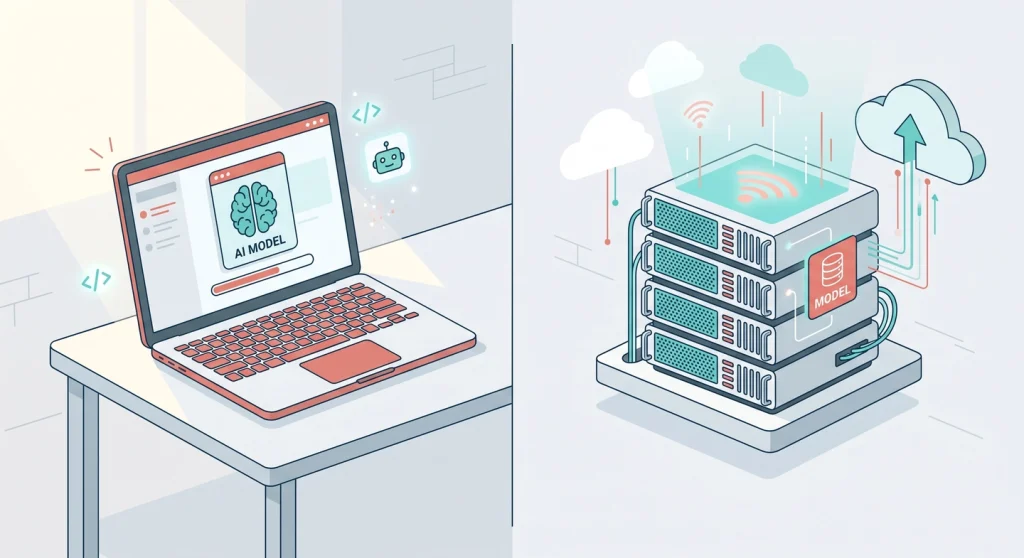
Here’s the fork in the road, and your answer depends entirely on one question — how private is your data?
Run it locally with a tool like Ollama if your documents are sensitive and must never leave your machine. You get full privacy and zero per-query cost, at the price of needing decent hardware and accepting slightly weaker answers from smaller models. I went this route for personal notes precisely because I didn’t want them sitting on someone else’s server. If you’re weighing up a machine for this kind of work, my guide to the best computer for AI workloads breaks down what actually matters — and for the local setup itself, running a local LLM on your Mac with Ollama is a separate weekend project worth doing first.
Use a hosted API — Claude, GPT, or similar — if you want the strongest possible answers and your data isn’t a privacy concern. The latest Claude models (Sonnet 4.6 for everyday use, Opus 4.8 when you need the most capable reasoning) handle long retrieved context very well, which is exactly what RAG throws at them. You pay per token, but for a low-traffic bot that’s often just a few dollars a month.
There’s no universally right answer here. I run private stuff locally and reach for a hosted model when I want polish and the content isn’t sensitive.
Step 4 — Wire it together with a framework
You can hand-code every stage, but a framework saves you a lot of plumbing. LangChain and LlamaIndex are the two popular choices, and either will connect your retriever to your model in a few lines.
The flow in code is short. Embed the question, query the vector store for the top matching chunks, drop those chunks into a prompt template alongside the question, and send it to your model. The framework manages the handoffs so you focus on the parts that matter — chunking and prompts.
One small but important detail: write a system prompt that tells the model to answer only from the provided context and to say “I don’t know” when the answer isn’t there. Without that instruction, the model drifts back to guessing, and you lose the main benefit of RAG.
Step 5 — Test it before you trust it
A RAG chatbot can sound right and be wrong, so testing isn’t optional. This is where I learned the most.
Write down ten real questions you know the correct answers to, then ask your bot all ten. Check two things each time — did it retrieve the right chunk, and did it answer from that chunk faithfully? When an answer is wrong, the cause is almost always retrieval, not the model. The model can only work with what it was handed.
When I tested mine, the early failures were all the same shape: vague questions pulled the wrong passages. Two fixes solved most of it — tightening my chunk sizes and rephrasing the system prompt to ask for the source of each answer. In practice, you’ll spend more time tuning retrieval than anything else, and that’s normal.
Suggested Reading: Best Mechanical Keyboards To Purchase For Home Office Setup
What it actually costs
Let me be straight about money, since most guides skip it.
A local build is effectively free to run once you have the hardware — Ollama, FAISS, and LangChain are all open source and cost nothing per query. Your only real cost is the machine and the electricity.
A hosted build shifts the cost to per-use API calls. You pay a small amount for every embedding when you index your documents (a one-time cost per document) and for every question and answer after that. For a personal or small-team bot, that usually lands in the low single digits of dollars per month. The expense grows with traffic, not with the size of your document library.
Either way, you are not paying to train a model. That’s the quiet win of RAG — you skip the most expensive part of building custom AI entirely.
A quicker path: no-code RAG platforms
If you’d rather not touch Python, you don’t have to. Platforms like Botpress, StackAI, and n8n let you upload documents, pick a model, and publish a chatbot through a visual interface. They handle chunking, embeddings, and retrieval for you behind the scenes.
I’d point a non-developer or anyone who just wants a working bot this afternoon straight at one of these. You give up some control over chunking and prompts, and you’re tied to their pricing, but you get a usable result in an hour instead of a weekend.
The build-it-yourself route is the one I prefer, because I like understanding every stage and keeping my data on my own terms. Pick the path that fits how deep you want to go.
Wrapping up
A RAG chatbot isn’t magic — it’s five clear stages: ingest, chunk, embed, retrieve, generate. Get the chunking right and the rest falls into place.
Pick your path based on how much control you want. Start with a no-code platform to see it work today, or build it yourself with LangChain and a local model to keep your data fully in your hands. Either way, the next time you ask a question about your own documents, you’ll get a real answer instead of a confident guess.
Frequently asked questions
What is a RAG chatbot in simple terms?
A RAG chatbot is an AI assistant that looks up answers in your own documents before replying, instead of guessing from general knowledge. It retrieves the most relevant passages, hands them to a language model, and the model answers from that real content. The result is far more accurate for private or specific topics.
Do I need to train a model to build a RAG chatbot?
No. Training is exactly what RAG lets you avoid. You keep your documents in a searchable vector database and feed the relevant pieces to an off-the-shelf model at question time. That’s why RAG is so much cheaper and faster to set up than fine-tuning your own model.
Can I build a RAG chatbot that runs completely offline?
Yes. A fully offline RAG chatbot is very doable using Ollama for the language model, FAISS for the vector database, and a local embedding model, all tied together with LangChain. Everything runs on your own machine, so your documents never leave it — ideal for sensitive or private content.
Which vector database should I use for RAG?
For a small or personal project, FAISS is the easiest because it runs locally and costs nothing. If you need a managed, scalable option, Pinecone offers a fully hosted service, while Supabase with pgvector is a good self-hosted choice with predictable costs. Start with FAISS and move up only when traffic demands it.
How do I stop a RAG chatbot from making things up?
The fix is a tight system prompt plus good retrieval. Instruct the model to answer only from the provided context and to say “I don’t know” when the answer isn’t there. Then improve your chunking so the right passages get retrieved, since most wrong answers come from bad retrieval rather than the model itself.