I’ve used Docker for years. It’s been part of every development setup I’ve touched — local WordPress environments, Python microservices, CI/CD pipelines. Docker was just the default. You didn’t question it.
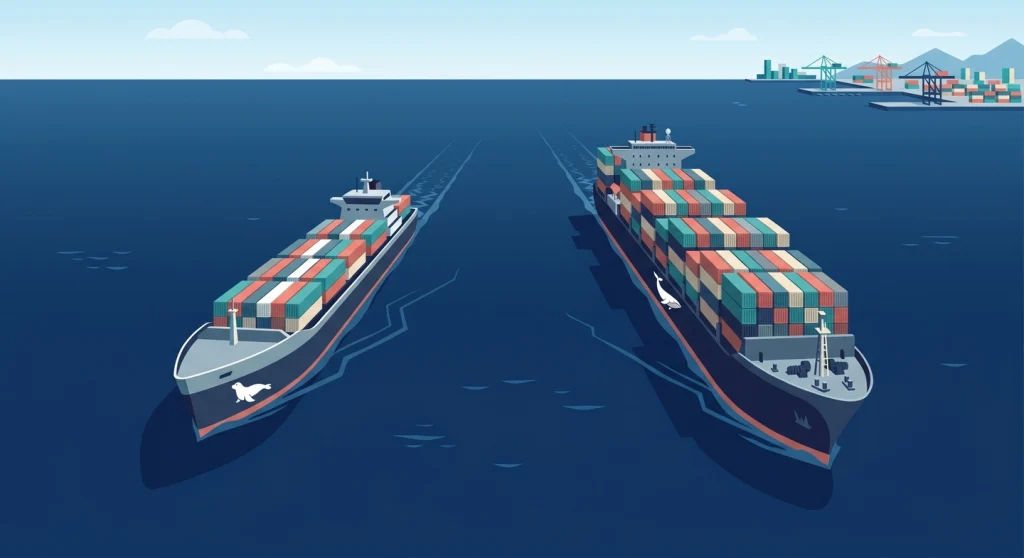
Then I kept hearing about Podman. Rootless by default. No daemon. Drop-in replacement for Docker. Sounds almost too good, right? So I decided to actually test it. I switched my entire local development workflow to Podman for a month and kept notes on what worked, what broke, and what surprised me.
If you’re trying to decide between Docker vs Podman in 2026, this is the honest comparison I wish I’d had before I started.
What Is Docker vs Podman?
Docker vs Podman is the comparison between two container runtimes that build, run, and manage containers. Docker uses a central daemon process and has dominated the market since 2013, while Podman is a daemonless, rootless alternative developed by Red Hat that’s gaining traction as a free, security-focused option.
Both tools follow the OCI (Open Container Initiative) standard, which means they produce identical container images. A container built with Docker runs on Podman, and vice versa. The difference is in how they get there.
Architecture: The Fundamental Split
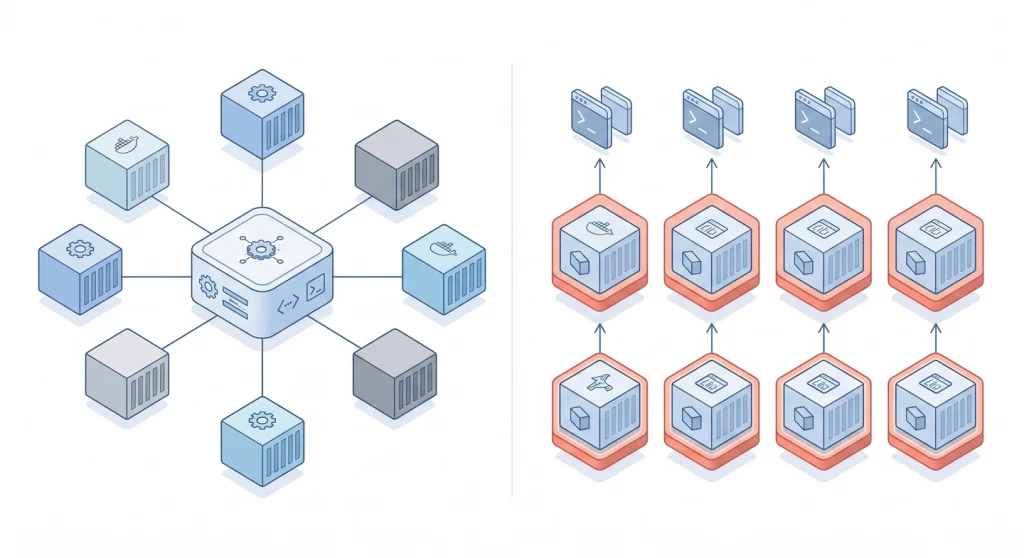
This is where Docker and Podman diverge at a philosophical level.
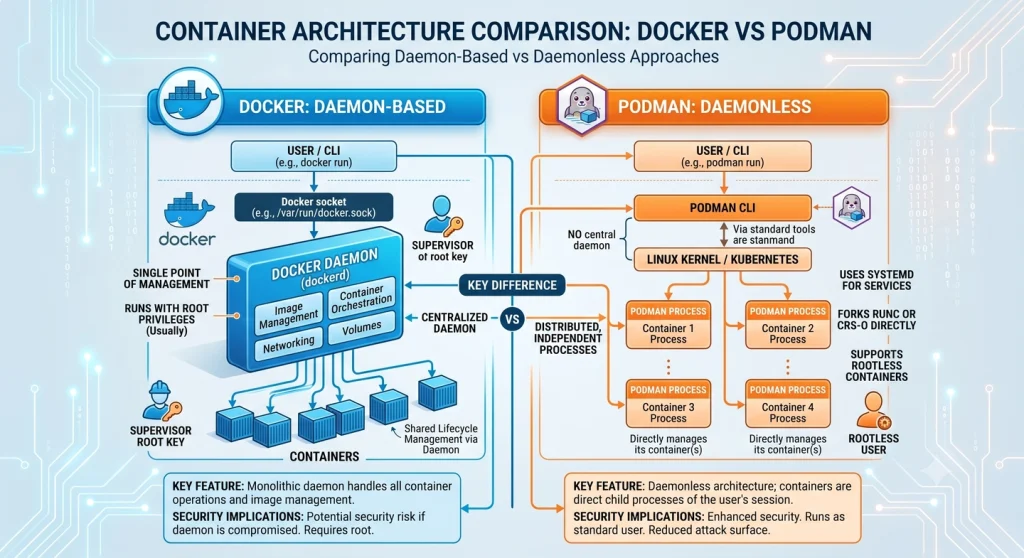
Docker runs a background daemon called dockerd. Every time you type docker run, your CLI sends a request to that daemon, and the daemon manages the container. It’s a client-server model. The daemon holds state, manages networking, handles storage — everything flows through it.
Podman has no daemon. When you run podman run, the container process starts as a direct child of your shell. No middleman. No background service that needs to be running before you can do anything.
Why does this matter in practice? I noticed it the first time my Docker daemon crashed during a build and took every running container down with it. With Podman, each container is independent. One container crashing doesn’t affect the others.
The tradeoff is that Docker’s daemon handles things like automatic container restarts and event monitoring more naturally. With Podman, you lean on systemd for those capabilities — which works well on Linux but adds a conceptual layer if you’re not used to it.
Suggested Reading: AI Services For Students Which Helps in Study Smarter
Security: Rootless by Default Changes Everything
This is Podman’s strongest selling point. And after a month of use, I think it’s justified.
Podman runs rootless by default. Your containers execute under your regular user account, not as root. If an attacker somehow escapes the container, they land as an unprivileged user on the host. That’s a fundamentally different threat model.
Docker traditionally runs its daemon as root. While Docker added a rootless mode back in version 20.10, only about 8% of Docker users have actually enabled it. The default install still gives the daemon root access to your system.
The numbers tell the story. Docker’s default configuration grants containers 14 Linux kernel capabilities. Podman defaults to 11. Fewer capabilities means a smaller attack surface.
In practice, I ran into exactly one issue with Podman’s rootless mode — a container that needed to bind to port 80. Ports below 1024 require root privileges on most Linux systems. The fix was simple: either use a higher port or adjust the net.ipv4.ip_unprivileged_port_start sysctl setting. But if you’re not expecting it, it’ll trip you up.
Docker vs Podman: Feature Comparison
| Feature | Docker | Podman |
|---|---|---|
| Architecture | Daemon-based (dockerd) | Daemonless (fork-exec) |
| Root required | Yes (default), rootless optional | Rootless by default |
| Default capabilities | 14 kernel capabilities | 11 kernel capabilities |
| Idle memory | 140–180 MB (daemon) | 0 MB (no daemon) |
| Container startup | ~1.2 seconds | ~0.8 seconds |
| Build tool | BuildKit (integrated) | Buildah (separate tool) |
| Compose support | Docker Compose (native) | Built-in podman compose + podman-compose |
| Kubernetes integration | Requires translation | Native pods, podman generate kube |
| Desktop GUI | Docker Desktop (paid for teams) | Podman Desktop (free, Apache 2.0) |
| Swarm support | Yes | No |
| License cost | Free personal, $9–$24/user/mo for teams | Completely free |
| Market share | ~67% | ~19% |
Suggested Reading: What is Claude Cowork and Why You Should Care
Performance: The Differences Are Real but Small
I ran both tools on the same machine — a Linux workstation running Fedora 41 — across the same set of containers for a WordPress development stack.
Startup speed favours Podman. Without a daemon to route through, containers start roughly 33% faster. I measured about 0.8 seconds for Podman versus 1.2 seconds for Docker on my setup. For a single container, you won’t notice. When you’re spinning up a stack of eight containers, that gap adds up.
Build speed favours Docker, slightly. Docker’s BuildKit is mature and well-optimized, especially for complex multi-stage builds. I saw about a 5–10% speed advantage on larger builds. For simple Dockerfiles, the difference was negligible.
Memory footprint is where Podman shines noticeably. Docker’s daemon sits in memory whether you’re running containers or not — typically 140 to 180 MB. Podman uses zero memory when no containers are running because there’s nothing running in the background. On a development laptop where every megabyte counts, that matters.
Runtime performance is essentially identical. Once the container is running, both tools hand off to the same Linux kernel features — cgroups, namespaces, and seccomp profiles. The container doesn’t know or care which tool started it.
Docker Compose vs Podman Compose
Let’s be honest — this was my biggest concern before switching. Docker Compose is the backbone of local development for most people I know.
Docker Compose has years of refinement behind it. The V2 specification is well-documented, widely adopted, and just works. If your docker-compose.yml file uses standard features, you’ll never think twice about it.
Podman now handles Compose files in two ways. The built-in podman compose command covers roughly 90% of the Docker Compose spec. There’s also the community-maintained podman-compose tool, which covers about 85% but takes a different approach under the hood — it creates pods instead of networks.
In my month of testing, most of my Compose files worked without modification. The exceptions were edge cases around named volumes with specific drivers and some networking features that assumed Docker’s bridge network. Nothing I couldn’t fix in 10 minutes, but it wasn’t zero effort.
My advice: if your Compose files are straightforward — services, volumes, ports, environment variables — you’ll transition without drama. If you’re using advanced networking, custom drivers, or Docker Swarm overlay networks, test carefully before committing.
Kubernetes Integration
Here’s where Podman has an architectural advantage that often gets overlooked.
Podman understands pods natively. The concept of grouping containers into a pod — the fundamental unit in Kubernetes — is built into Podman’s design. You can create a pod, add containers to it, and then export the whole thing as a Kubernetes YAML manifest with podman generate kube. Going the other direction, podman play kube takes a Kubernetes manifest and runs it locally.
Docker doesn’t have a native pod concept. To go from Docker to Kubernetes, you typically need an intermediate step — writing your Kubernetes manifests separately from your Docker Compose files, or using a tool like Kompose to translate between them.
Now, there’s an important caveat. Kubernetes itself stopped using Docker as its container runtime back in version 1.24. About 95% of Kubernetes clusters now run containerd or CRI-O under the hood. So neither Docker nor Podman is what runs your containers in production Kubernetes. But for local development and testing against Kubernetes patterns, Podman’s native pod support is genuinely useful.
Suggested Reading: Best Computer (Laptop and Desktop) For AI Workload in 2026
The Cost Factor Nobody Talks About
Docker Desktop is free for personal use, education, and small businesses (under 250 employees and under $10 million in revenue). Everyone else needs a paid subscription.
- Docker Pro — $9/month
- Docker Team — $15/user/month
- Docker Business — $24/user/month
For a team of 200 engineers on the Business plan, that’s over $50,000 a year just for the Docker Desktop license. And that’s before you account for Docker Hub’s image hosting and pull rate limits.
Podman Desktop is completely free. Apache 2.0 license. No usage restrictions. No team size limits. It’s matured significantly in 2026 — the interface is clean, it supports extensions, and it handles Compose files right from the GUI.
I won’t pretend Podman Desktop matches Docker Desktop feature for feature. Docker Desktop’s built-in Kubernetes cluster, the volume management UI, and the Extensions marketplace are more polished. But for most development workflows, Podman Desktop does the job without costing a dime.
Building Images: BuildKit vs Buildah
Docker uses BuildKit as its build engine. It’s fast, supports build caching intelligently, handles multi-stage builds well, and integrates seamlessly into the Docker workflow. You don’t even think about it — docker build just works.
Podman delegates building to Buildah, a separate tool designed specifically for creating OCI-compliant images. Buildah can build images without requiring a running container or a daemon. It also supports building images from Dockerfiles and from scratch using shell commands, which gives you more flexibility for automated pipelines.
In day-to-day development, the practical difference is minimal. Both tools build from the same Dockerfiles. Both produce identical OCI images. BuildKit has a slight edge in caching efficiency on complex builds, while Buildah’s daemonless operation makes it a better fit for locked-down CI/CD environments where you don’t want a privileged daemon running.
When to Choose Docker
Docker is still the right choice if:
- You’re learning containers for the first time. The documentation, tutorials, and community support are unmatched. Nearly every container tutorial on the internet uses Docker.
- You work on macOS or Windows primarily. Docker Desktop’s experience on non-Linux platforms is more mature, though Podman Desktop has closed the gap considerably.
- Your team already uses Docker and it’s working. Switching has a cost. If Docker isn’t causing security or licensing headaches, there’s no urgent reason to migrate.
- You rely on Docker Swarm for orchestration. Podman doesn’t support Swarm, and there’s no equivalent.
When to Choose Podman
Podman makes more sense if:
- Security is a top priority. Rootless by default is a significant advantage, especially in production and CI/CD environments.
- You want to avoid licensing costs. For teams above 250 employees, Docker Desktop licensing is a real expense that Podman eliminates entirely.
- You’re targeting Kubernetes. Podman’s native pod support and
kube generate/playcommands align your local workflow with Kubernetes patterns. - You’re running Linux-native development. Podman feels most at home on Linux distributions, particularly RHEL, Fedora, and CentOS Stream.
- Your CI/CD pipelines need rootless builds. Podman and Buildah run without a privileged daemon, which many CI environments now require.
The Hybrid Approach: What I Actually Recommend
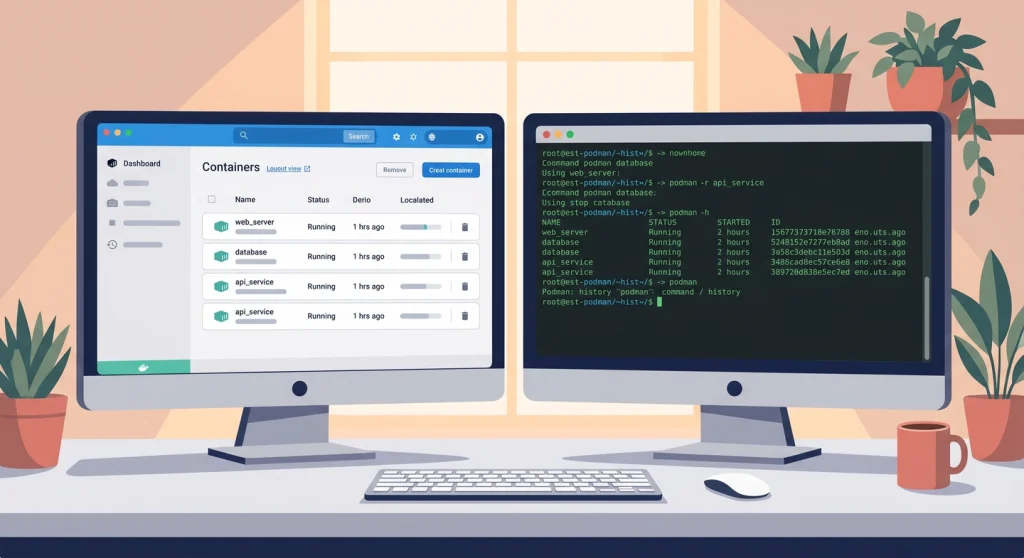
After my month of testing, I landed on something I didn’t expect: using both.
About 34% of organizations already do this — Docker for local development, Podman for CI/CD and production. It’s not as messy as it sounds because the images are identical. Build with Docker locally, push to a registry, pull with Podman in your pipeline. Everything is OCI-compliant. Nothing breaks.
My personal setup now uses Podman on my Linux workstation and Docker Desktop on my Mac when I need it. The CLI commands are nearly identical — I even have alias docker=podman in my shell config, and most of the time I forget which one I’m actually running.
If you’re starting fresh in 2026, I’d lean toward Podman. The security model is better, the cost is zero, and Kubernetes alignment gives you a head start. But if Docker is working for you and your team, don’t rip it out just because the internet told you to. Both tools are excellent. Pick based on your actual constraints, not ideology.
Frequently Asked Questions
Can I use Podman as a drop-in replacement for Docker?
Podman can replace Docker for most workflows with minimal changes. The CLI is nearly identical — podman run, podman build, podman push all work the same way. Most Dockerfiles build without modification. The main gaps are Docker Swarm (no Podman equivalent) and some advanced Docker Compose networking features.
Is Podman faster than Docker?
Podman starts containers about 33% faster than Docker because it doesn’t route through a daemon. Build speeds favour Docker by 5–10% on complex multi-stage builds due to BuildKit optimizations. Runtime performance is identical since both use the same kernel features.
Does Podman work with Docker Compose files?
Podman supports Docker Compose files through its built-in podman compose command, which covers approximately 90% of the Compose specification. Standard features — services, volumes, ports, environment variables — work without changes. Edge cases around custom network drivers may need adjustment.
Is Docker still worth using in 2026?
Docker remains a strong choice for local development, especially on macOS and Windows. Its documentation is the most comprehensive in the container ecosystem, and nearly every tutorial assumes Docker. The main reasons to reconsider are licensing costs for larger teams and security requirements that benefit from rootless-by-default operation.
Can I run both Docker and Podman on the same machine?
Running both Docker and Podman on the same Linux machine works fine. They use separate storage and configuration directories, so they don’t interfere with each other. On macOS and Windows, you can install both Docker Desktop and Podman Desktop, though running their VMs simultaneously will consume more memory.