
My old router used to be invisible. It sat in a corner, did its job, and I never thought about it. That changed the day a client call froze mid-sentence while someone else in the house was uploading a video and three smart-home gadgets were quietly doing their thing in the background.
That is the real problem now. Our homes ask far more of the network than they did a few years ago — full-time video calls, cloud backups, smart cameras, and increasingly some kind of local AI device or assistant humming along. An old router becomes the quiet bottleneck nobody blames until everything stutters at once.
So I went looking for the best Wi-Fi 7 routers for home use — not the flashiest spec sheets, but the ones that actually fix the day-to-day pain of a busy household. Here is what I’d buy, who each one suits, and the honest tradeoffs nobody puts on the box.
What is a Wi-Fi 7 router?
A Wi-Fi 7 router is a home networking device built on the 802.11be standard that can use the 2.4 GHz, 5 GHz, and 6 GHz bands at the same time. Its headline feature is Multi-Link Operation (MLO), which lets a device send and receive data across two bands at once for lower lag and steadier connections.
In plain terms, the big leap is not just raw speed. It is stability under load — the network holding steady when many devices fight for attention at the same time. That is exactly the situation most homes now live in. If you want the formal definition, the Wi-Fi Alliance’s Wi-Fi CERTIFIED 7 program is the body that certifies which devices genuinely meet the standard — worth checking the label before you buy.
Why upgrade from an older router at all?

Here is the honest version. If one person checks email on a Wi-Fi 5 router in a small flat, Wi-Fi 7 will feel like a waste of money. The case for upgrading gets strong the moment your home turns into a shared, always-on network.
Work-from-home calls are the clearest win. MLO lets a laptop ride two bands at once, so when one band gets congested the call slides over to the other instead of dropping. The practical result you’ll notice is fewer frozen faces and robotic voices during a meeting, even when the household is busy.
The 6 GHz band is the second reason. Wi-Fi 7 routers open up the wide, mostly empty 6 GHz spectrum, which means less interference from neighbours and older gadgets. In a flat surrounded by other networks, this is often a bigger real-world improvement than the theoretical top speed.
Then there is the modern device count. A typical home now runs phones, laptops, TVs, a doorbell, a few cameras, smart plugs, and sometimes a local AI assistant or a machine doing on-device processing. The network feeding all of that matters just as much as the devices themselves — a strong router keeps the traffic from tripping over each other.
Suggested Reading: Best Mechanical Keyboards for Gamers or Home Office
The best Wi-Fi 7 routers for home, by use case
I’ve grouped these by the kind of home they fit, because the “best” router genuinely depends on your space and how many devices lean on it. Prices below are rough street-price ranges and move around with sales, so treat them as ballpark.
| Router | Best for | Type | Top Ethernet port | Rough price |
|---|---|---|---|---|
| eero Max 7 | Most homes wanting easy mesh | Tri-band mesh | 10G | $599 |
| ASUS ZenWiFi BT8 | Whole-home coverage on a budget | Tri-band mesh | 2.5G | $260 |
| ASUS RT-BE96U | Power users who hate subscriptions | Quad-band single router | 10G | $436 |
| NETGEAR Nighthawk RS300 | Best all-round single router | Tri-band single router | 2.5G | $269 |
| NETGEAR Nighthawk RS700S | Raw speed and demanding setups | Tri-band single router | 10G | $349 |
| ASUS RT-BE58U | Dipping into Wi-Fi 7 cheaply | Dual-band single router | 2.5G | $150 |
eero Max 7 — the easiest “set it and forget it” pick
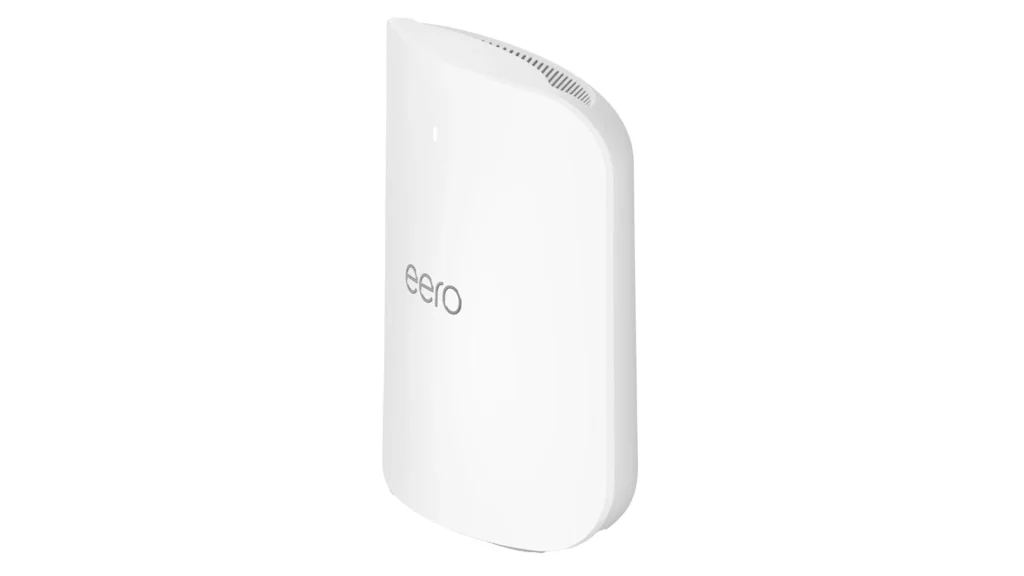
If you want coverage across a whole house and zero patience for settings menus, this is the one I’d point most people to. It’s a tri-band mesh system, so you drop nodes around the home and they hand devices off smoothly as you walk room to room. The app setup is genuinely simple — most people are done in ten minutes.
On the workload side, this is built for the chaotic, everyone-online-at-once home. A 10G port plus a dedicated 6 GHz backhaul means it can carry several 4K streams, a couple of simultaneous video calls, and a steady drip of smart-home traffic without anyone noticing a slowdown. If someone is pushing large files to the cloud while you’re on a call upstairs, this is the kind of system that just absorbs it.
The catch is honesty time: it leans on the eero ecosystem, and some advanced security features sit behind an eero Plus subscription. The hardware is also premium-priced. You’re paying for simplicity and headroom, and for a lot of busy households that trade is worth it.
ASUS ZenWiFi BT8 — mesh coverage without the premium sting
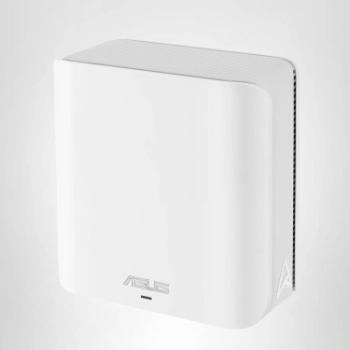
This is the value answer to whole-home coverage. You still get a clean app, tri-band mesh, and Wi-Fi 7’s core benefits, but at a friendlier price than the top-tier kits. It also leans on ASUS’s habit of bundling security and parental controls in the price, so there’s no monthly fee waiting to unlock the good stuff.
For everyday family workloads it has plenty in the tank. Think one person on a work call, another streaming in 4K, a few phones, and a handful of smart-home devices all running together — the dedicated 6 GHz band keeps that traffic from tripping over itself. The dual 2.5G ports also mean a desktop or a home server gets a fast wired lane while everything else stays wireless. The top wired port is 2.5G rather than 10G, which is fine unless you pay for an unusually fast internet plan.
For a multi-storey home or a place with thick walls, a mesh kit like this fixes dead spots far better than one powerful router ever will. That’s the part people underestimate — coverage usually matters more than peak speed.
Suggested Reading: What is Claude Cowork and Why You Should Care?
ASUS RT-BE96U — the power user’s no-subscription choice
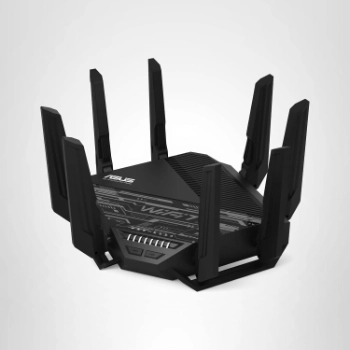
I have a soft spot for this one. ASUS bundles its security suite and parental controls in the purchase price, so you’re not nudged toward a monthly fee to unlock features you assumed you already owned. It’s a quad-band router with a 10G port and serious configuration depth.
Where this one shines is a single room or floor that does a lot of heavy lifting. A home lab, a NAS, a gaming rig, or a local AI box pulling models down all benefit from the 10G port and the extra band. If you’re feeding a home machine built for AI workloads, this router gives it a fat, low-latency pipe instead of making it queue behind the family’s streaming. It chews through large local file transfers and multiple high-bandwidth devices without breaking stride.
So be prepared for a busier settings page. If you like to tinker — VLANs, custom DNS, fine-grained controls — this rewards you. If you don’t, the mesh picks above will feel friendlier.
NETGEAR Nighthawk RS300 — the sensible all-rounder
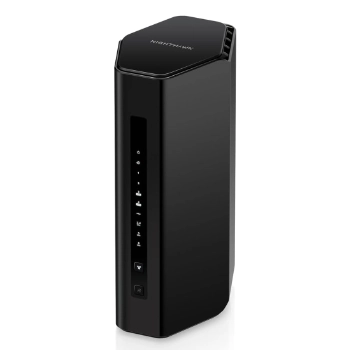
When someone asks me for one single router that just works for a normal home, this is usually my answer. It’s genuinely tri-band with a real 6 GHz radio, carries a couple of 2.5G ports, and doesn’t cost a fortune. No drama, good value.
For the typical work-from-home setup, it covers the bases comfortably. Daily video calls, screen sharing, a second person streaming, cloud backups running in the background — the 6 GHz band gives your most demanding device a clean lane while everything else sits on 5 GHz. It’s the router I’d trust for a household of moderate but constant use, where nothing is extreme but the network never really gets a rest.
The honest note: it’s a single unit, so a very large or oddly shaped home may still need more coverage later, and NETGEAR will nudge you toward a subscription for some of the extra security features. For an apartment or a modest house, it’s plenty.
NETGEAR Nighthawk RS700S — when you want maximum headroom
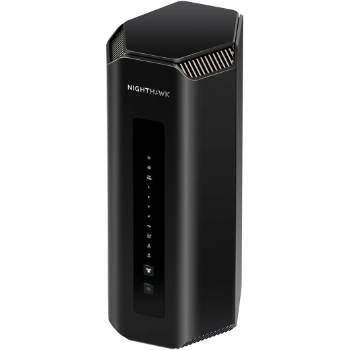
This is the pick for the demanding end — gamers, heavy creators, or a home where several people push the network hard at the same time. It’s fast, it has a 10G port, and it holds up under sustained load.
The workloads here are the heavy ones. Competitive online gaming where latency spikes lose matches, editing 4K or 8K footage off a network drive, hosting your own services, or several people doing all of that at once. The 10G port and wide channels mean wired and wireless devices both get serious bandwidth, so the network stays smooth even when you’re throwing everything at it. If your home genuinely behaves like a small office, this is the headroom you’ll actually use.
The honest note: it’s expensive, and most homes will never feel the ceiling it offers. Buy it because you have a genuinely heavy setup, not because the number is big.
Suggested Reading: How to Build a RAG Chatbot With Your Documents
ASUS RT-BE58U — the cheapest sensible way in
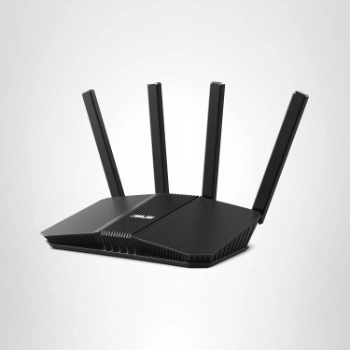
If you want onto Wi-Fi 7 for the least money, this is the honest entry point. Be clear-eyed about the tradeoff, though: it’s dual-band, so there’s no 6 GHz radio — you’re giving up the wide-open spectrum that’s half the appeal. What you still get is Multi-Link Operation across the 2.4 and 5 GHz bands, a 2.5G port, ASUS’s no-subscription stance, and a three-year warranty.
For lighter workloads it does the job well. A single person working from home, everyday video calls, streaming on one or two screens, and a normal scatter of phones and smart plugs — that’s comfortably within its reach. MLO still helps your call stay stable by riding both bands at once, so you get the headline reliability benefit even without the third band. Where it’ll struggle is a crowded household all streaming and calling at the same time.
This is the “I just want fewer dropouts and steadier connections on a tight budget” choice — not the way to chase top speeds.
What actually matters when you choose
Here’s the trap I see people fall into. They stare at the big number on the box — the combined speed rating — and assume bigger means better. That number is mostly marketing. It adds up every band at once, which is a total no single device will ever hit.
What actually shapes your day is duller and more practical. Whether the signal reaches the back bedroom. Whether your call survives the evening rush. Whether the “premium security” you thought you bought turns out to need a subscription. So before you compare speed ratings, weigh these four things instead.
Bands. This is the single biggest decision. A tri-band router gives you a dedicated 6 GHz lane — the wide, mostly empty spectrum that keeps your busiest device clear of the crowd — and that’s the sweet spot for a modern home. Dual-band is the budget compromise: still better than your old router, but without that clean third lane. If you can stretch to tri-band, do.
Mesh vs single unit. Match this to your space, not your ego. A big or multi-storey home, thick walls, or stubborn dead spots all point to mesh, where several nodes blanket the place evenly. A single strong router is cheaper, simpler, and genuinely enough for an apartment or a compact house. Buying a three-pack mesh for a one-bedroom flat is just money left on the table.
Ethernet ports. Be honest about your actual internet speed here. A 2.5G port is plenty for almost everyone, and it comfortably outruns the plan most homes are on. You only need a 10G port if your internet plan or your local file transfers — say, to a NAS — genuinely exceed 2.5 gigabits, and most never will. Don’t pay for a port you’ll never saturate.
Security model. This is the cost that hides until after you’ve bought. Some brands include their security suite and parental controls in the price; others lock the good parts behind a monthly fee. A cheaper router with a subscription can quietly cost more over a couple of years than a pricier one that bundles everything. Read the fine print before you decide what’s “cheap.”
A quick word on security and your smart-home gear
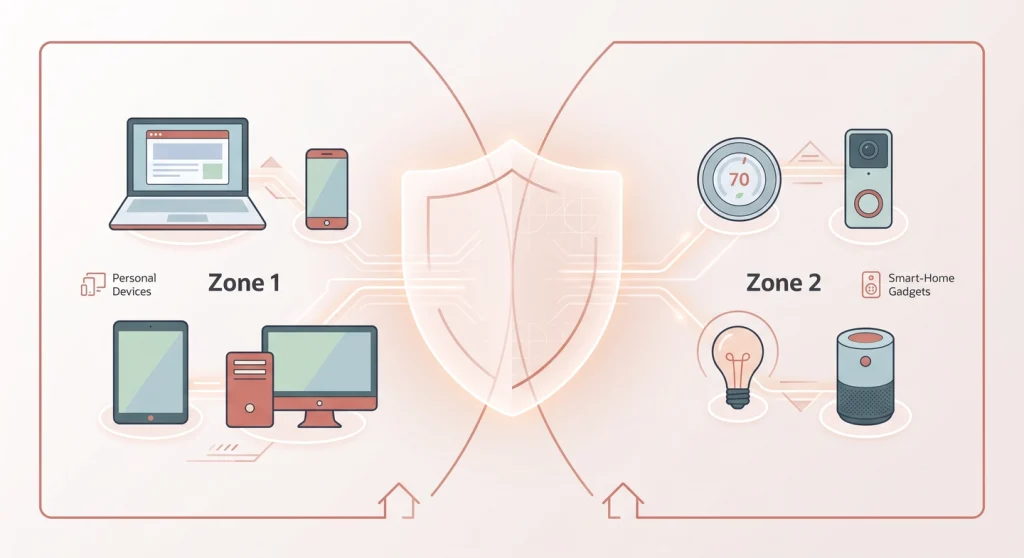
This part matters more than the marketing admits. A Wi-Fi 7 router improves home security mainly by supporting WPA3 encryption and easy network segmentation, not by magic. Segmentation means putting your cameras, doorbells, and cheap smart plugs on a separate guest or IoT network, away from your laptops and phones.
In practice, that one habit limits the damage if a flimsy smart gadget ever gets compromised — the attacker lands on the throwaway network, not next to your work files. Most of these routers make creating that separate network a two-tap job in the app, and I’d treat it as a setup step, not an optional extra.
Suggested Reading: 12 Best Claude Code Plugins for Everyday Use
When you should not upgrade yet
I promised honesty, so here it is. Skip the upgrade for now if your home is one or two people on a slow internet plan with few devices and no Wi-Fi 7 gear to connect to. You won’t feel the difference, because your phones and laptops also need Wi-Fi 7 radios to use the new bands — the router can’t do it alone.
The flip side: if your network already buckles during calls, or you’re adding cameras, a local AI device, or more people working from home, that’s the signal. That’s when the best Wi-Fi 7 routers for home stop being a luxury and start paying for themselves in saved frustration.
FAQ’s on WiFi 7 Routers
What is the best Wi-Fi 7 router for a home?
The best Wi-Fi 7 router for most homes is the eero Max 7 for easy mesh coverage, or the NETGEAR Nighthawk RS300 if you want one affordable single unit. Your ideal pick depends on home size, device count, and whether you want a subscription-free option like the ASUS RT-BE96U or ASUS ZenWiFi BT8.
Do I need Wi-Fi 7 if I have Wi-Fi 6?
Wi-Fi 7 is worth it over Wi-Fi 6 mainly if your network struggles under load — many simultaneous devices, frequent video calls, or heavy smart-home use. The 6 GHz band and Multi-Link Operation deliver steadier connections, but a light single-user home won’t notice much gain.
Is a Wi-Fi 7 mesh router better than a single router?
A Wi-Fi 7 mesh router is better for larger or multi-storey homes with dead spots, because multiple nodes blanket the space evenly. A single router is cheaper and simpler, and it’s the right choice for apartments or smaller homes where one unit can reach everywhere.
Does a Wi-Fi 7 router improve home network security?
A Wi-Fi 7 router improves security by supporting WPA3 encryption and making it easy to put smart-home devices on a separate network. That segmentation limits the damage if a weak IoT gadget is ever compromised, keeping it away from your main devices.
How much should I spend on a Wi-Fi 7 router for home?
A good Wi-Fi 7 router for home costs anywhere from around $130 for an entry model to $400 or more for a premium mesh system. Most households are well served in the mid-range tri-band tier, where you get the 6 GHz band and multi-gig ports without paying for performance you’ll never use.